End of day
Who can use this: The owner, or a manager who can see sales and the cash drawer. Where to find it: POS, Business Reports, and Dashboard
What is this?
This is the short close-up list for the counter. Do it in this order.
Before you start
Finish or hold open bills. Count the cash in the drawer.
Steps
-
On POS, finish any HOLD BILL items from Suspended Sales.
-
Open the wallet icon and click Close Register.
-
Match Cash Drawer Reconciliation to the cash you counted.
-
Click Close Register.
-
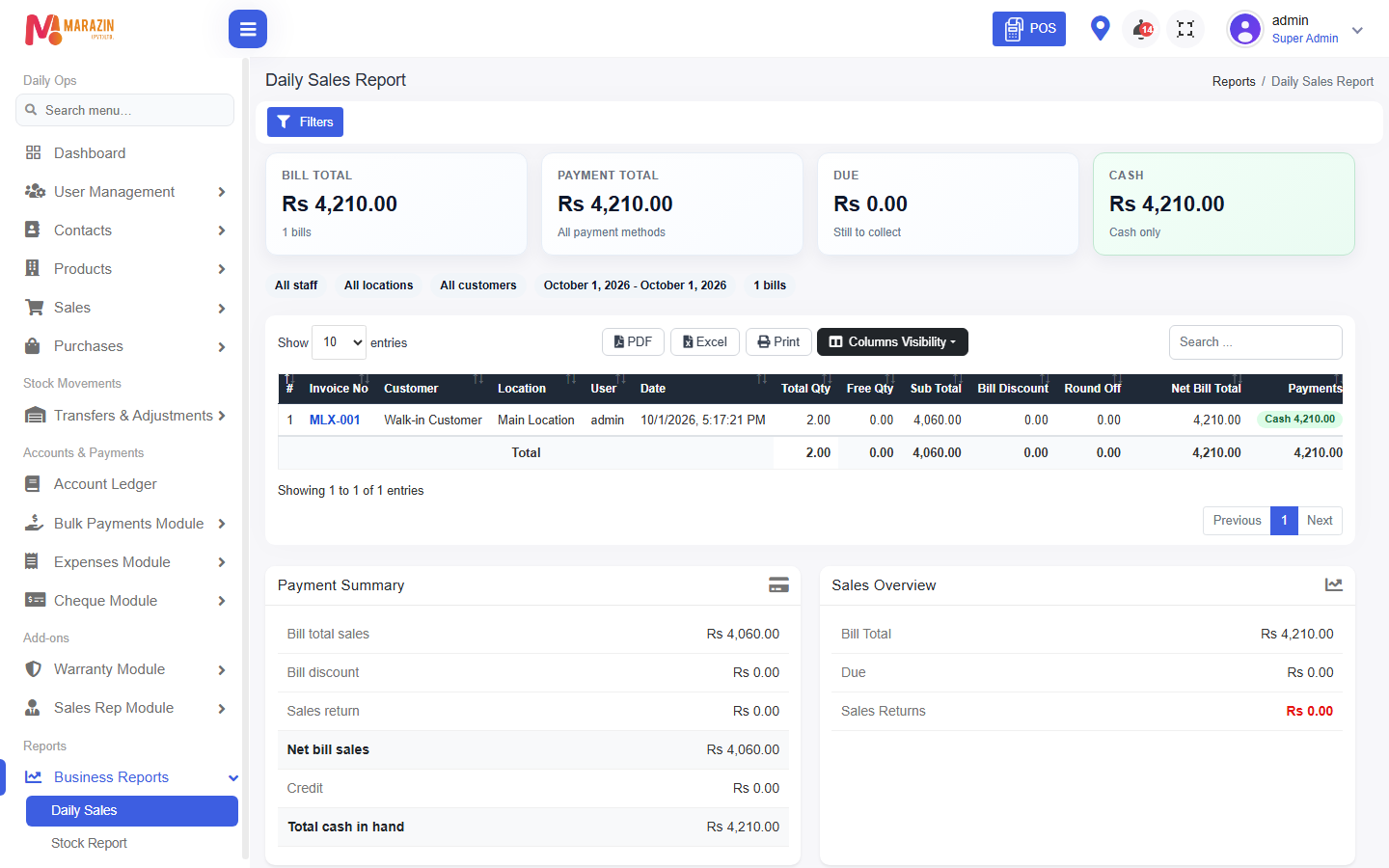
Open Business Reports > Daily Sales.
-
Check BILL TOTAL and CASH.
-
Open Dashboard and glance at Low Stock Products.
What you will see
The register for today is closed. Daily Sales Report shows the day's bills. Low stock is ready for tomorrow's order.
Tips
- Do not start a new bill after you close the register.
- Write the cash count next to Daily Sales if your shop keeps a book.
CHECK: there is no menu named User shifts. The register open and close is the shift record.
Common problems
| Problem | Solution |
|---|---|
| Close totals do not match | Count the drawer again, then check Pay In and Pay Out. |
| Daily Sales is empty | Check the date. Today has no finished bills. |