Backup
Who can use this: backup database. Where to find it: Settings > General Settings, then Backup
What is this?
This saves a copy of the shop records. The heading is Database Backup. The button is Backup Now (Database).
Before you start
Do this when the counter is quiet. The file can take up to a minute.
Steps
-
Open Settings > General Settings.
-
Click Backup.
-
Read where the file will go.
-
Click Backup Now (Database).
-
Keep the downloaded zip in a safe folder.
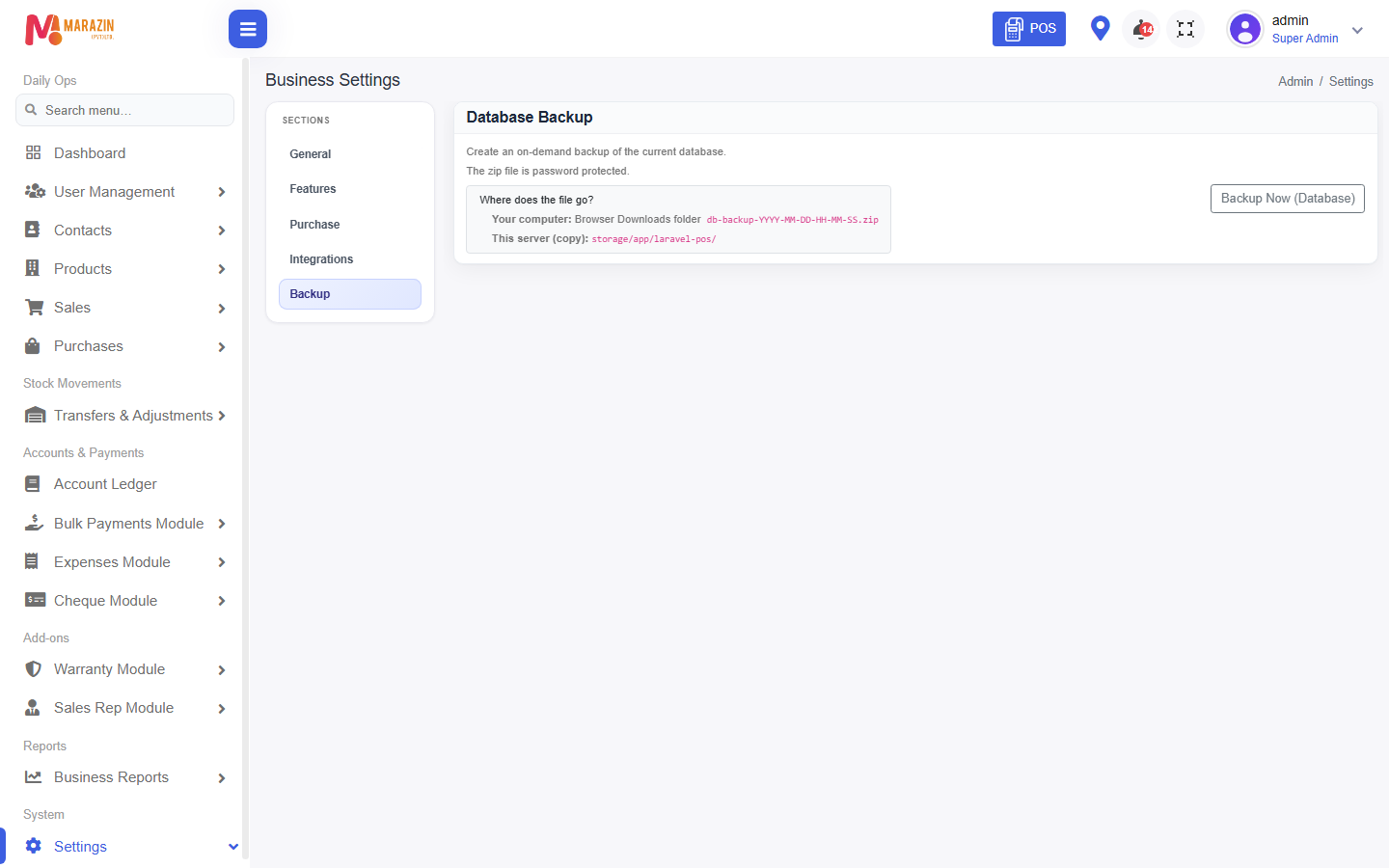
What you will see
The browser downloads a zip file. A copy can also stay on the shop computer.
Tips
- Run a backup before a big import.
- Do not store the only copy on the counter PC.
Common problems
| Problem | Solution |
|---|---|
| Backup is missing | Ask for backup database. |
| The download does not start | Wait a minute, then try once more. |