Sales FAQ (client questions)
Who: Staff who check bills after POS, take payments, or process returns.
How to use: Scan Quick answers → open the question → follow steps.
Counter selling steps: Make a sale · Pay the bill
Wholesale chain: Wholesale history
Quick answers
| # | Question | Short answer |
|---|---|---|
| 1 | Where is the invoice list? | Sales → All Sales |
| 2 | Reprint a bill? | Row Action → Print Invoice |
| 3 | Customer still owes? | Action → Add Payment |
| 4 | Return items? | Sell Return on that sale, or Returns → Add Return |
| 5 | Quote only (no stock)? | Sales → Quotations |
| 6 | Held / unfinished POS bill? | Sales → Drafts → Edit |
| 7 | Cancel a draft? | Cancel Draft on the draft row |
| 8 | Cash bill should be credit? | Convert to Credit (registered customer) |
| 9 | Staff sees few / no sales? | Role: view all sales vs view own sales |
| 10 | Wholesale quote → delivery? | Use Wholesale history, not only All Sales |
1. How do I find a bill?
- Open Sales → All Sales.
- Click Filters.
- Set Business Location, Customer, Payment Status, Date Range, or User.
- Open the row Action menu.
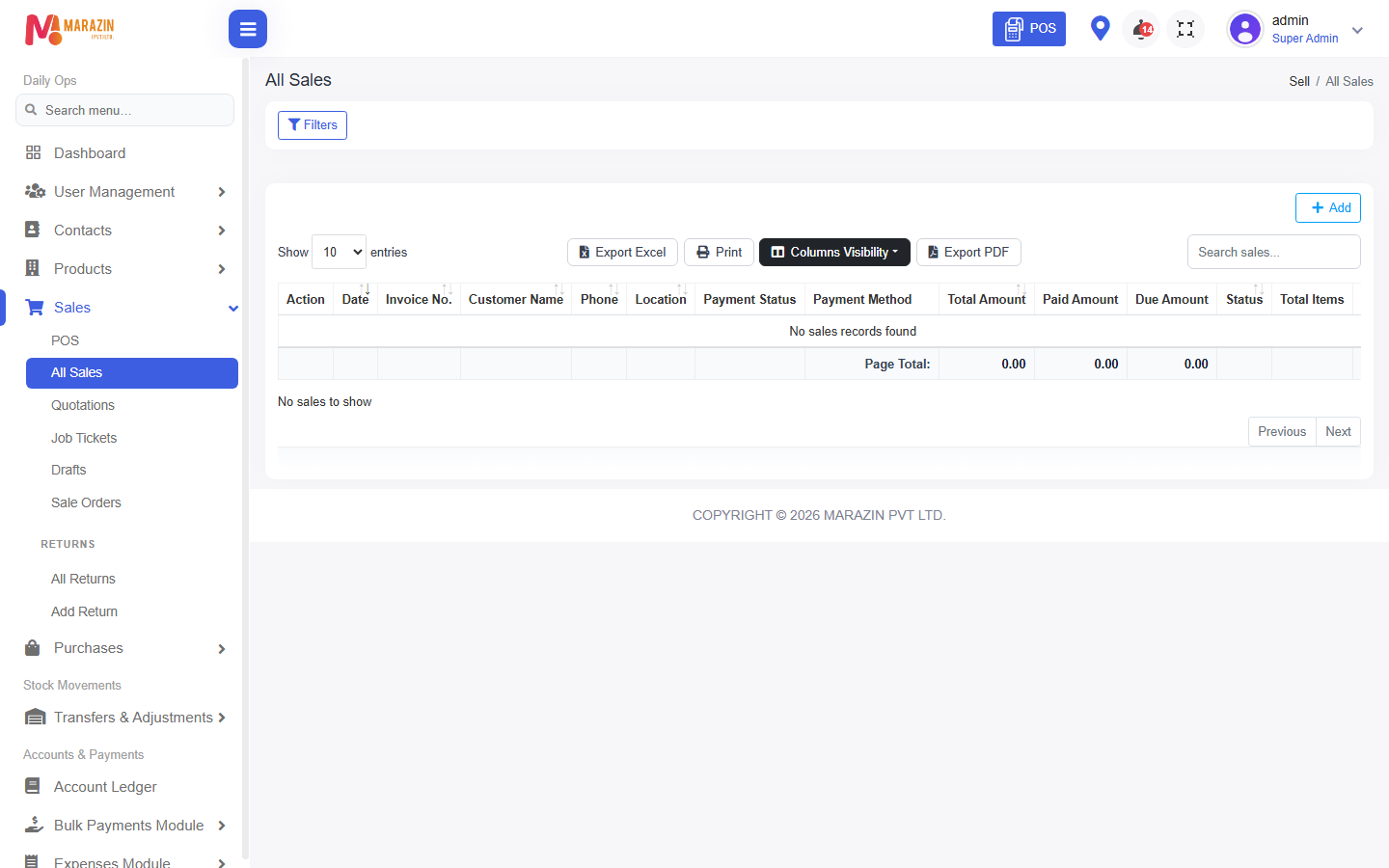
Look for: Filters, Action, Invoice No.
2. What can I do from Action on All Sales?
Common actions (only if your role allows):
| Action | Use |
|---|---|
| View | Open bill details |
| Print Invoice | Reprint |
| Edit | Change bill (posted bills need extra edit rights) |
| Add Payment | Collect due |
| View Payments | Payment history |
| Sell Return | Start return for this invoice |
| Adjust Bill / Adjust Payment Term | Correction tools when enabled |
| Sale Transfer | Move sale (when allowed) |
| Convert to Credit | Turn paid/partial cash path into credit |
| Delete | Remove bill (rare; permission required) |
3. How do I take a due payment from the list?
- Find the invoice on All Sales.
- Action → Add Payment.
- Enter amount and method → save.
- Payment Status becomes Paid or Partial.
Related: Pay the bill · Bulk payments.
4. How do I return a sale?
From the bill
- All Sales → Action → Sell Return.
- Enter return qty (and Damaged qty if your shop uses damage).
- Save, then settle: apply to due, refund, or leave open credit (options on screen).
From the menu
- Sales → Returns → Add Return.
- Or review All Returns for Print, Allocate / move credit, Delete Return.
See Sale return.
5. Quotations vs Drafts vs All Sales?
| Menu | Meaning |
|---|---|
| Quotations | Price estimate; not a normal finished sale until converted |
| Drafts | Unfinished POS bills; Edit opens POS again |
| All Sales | Finished invoices (cash/card/credit completed path) |
| Wholesale history | B2B Quotation → Confirm qty → CREDIT allocate chain |
Wholesale shops: do not confuse Quotations list with Wholesale history.
6. Draft actions
On Sales → Drafts:
| Action | Meaning |
|---|---|
| Edit | Continue in POS |
| Print draft | |
| Cancel Draft | Cancel (needs cancel permission) |
| Restore to Draft | When shown after cancel |
| Delete | Remove draft |
7. Why can I not edit or delete a sale?
- Posted invoices need edit sale (and sometimes edit-posted rights).
- Delete is separate and often restricted.
- Prefer Sell Return, Adjust Bill, or payment tools instead of delete.