Sale return
Who can use this: view sale-return and create sale-return. Where to find it: Sales > All Returns and Add Return
What is this?
A sale return takes goods back from a customer. The list is All Sales Returns.
Before you start
The original sale should be on All Sales. Know the invoice and the quantity coming back.
Steps
-
Open Sales > Add Return.
-
Pick the customer or the invoice.
-
Enter the quantity to return.
-
Save the return.
-
Open All Returns to confirm it.
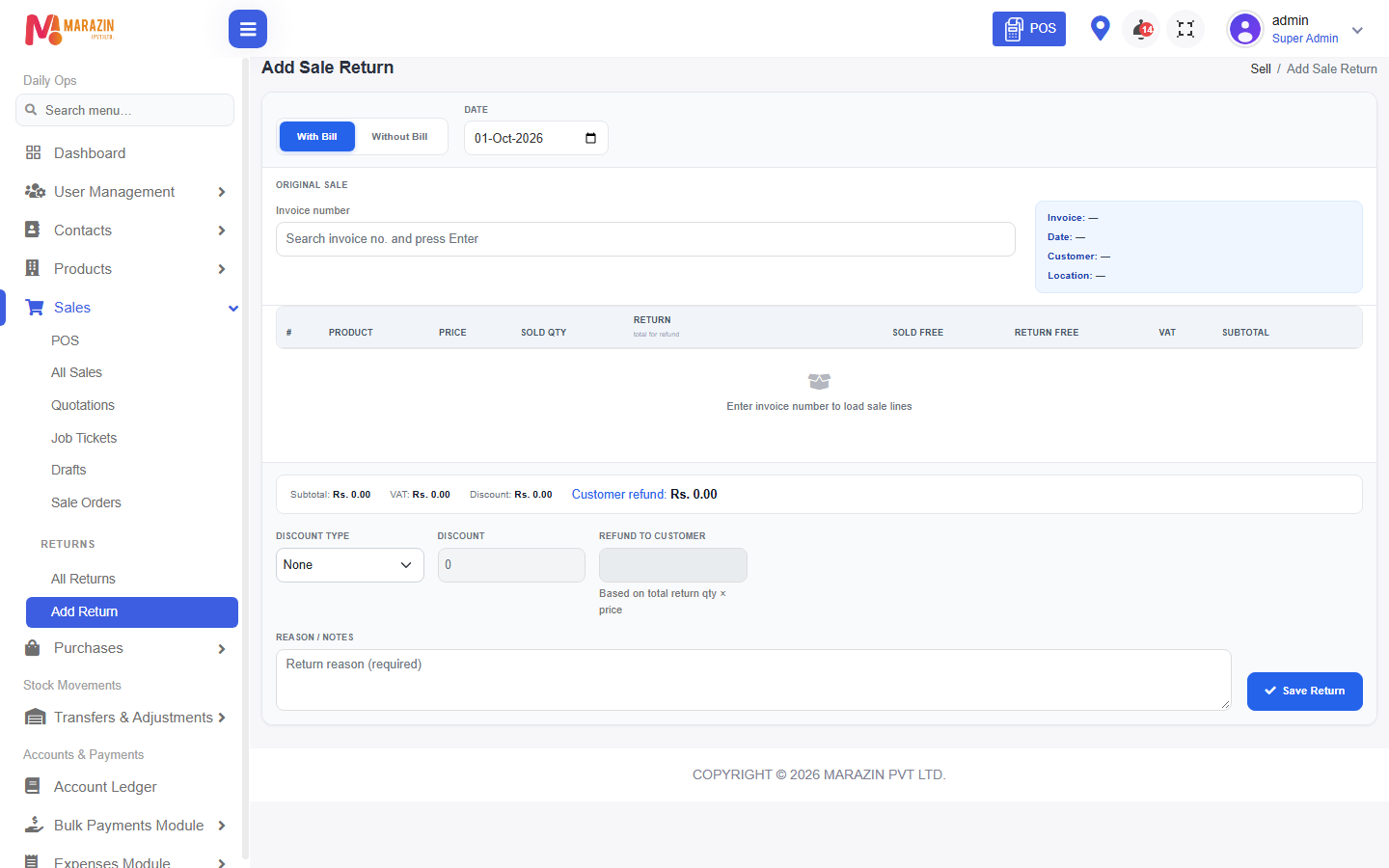
What you will see
The return is on All Returns. Stock goes back up for those items. Customer due can change.
Tips
- Reprint the original bill first if the customer has no copy.
- Return only the quantity they brought back.
Common problems
| Problem | Solution |
|---|---|
| Add Return is missing | Ask for create sale-return. |
| The invoice is not listed | Search All Sales and check the date. |