Drafts
Who can use this: save draft. Cancel needs cancel draft sale (or master admin). Where to find it: Sales > Drafts
What is this?
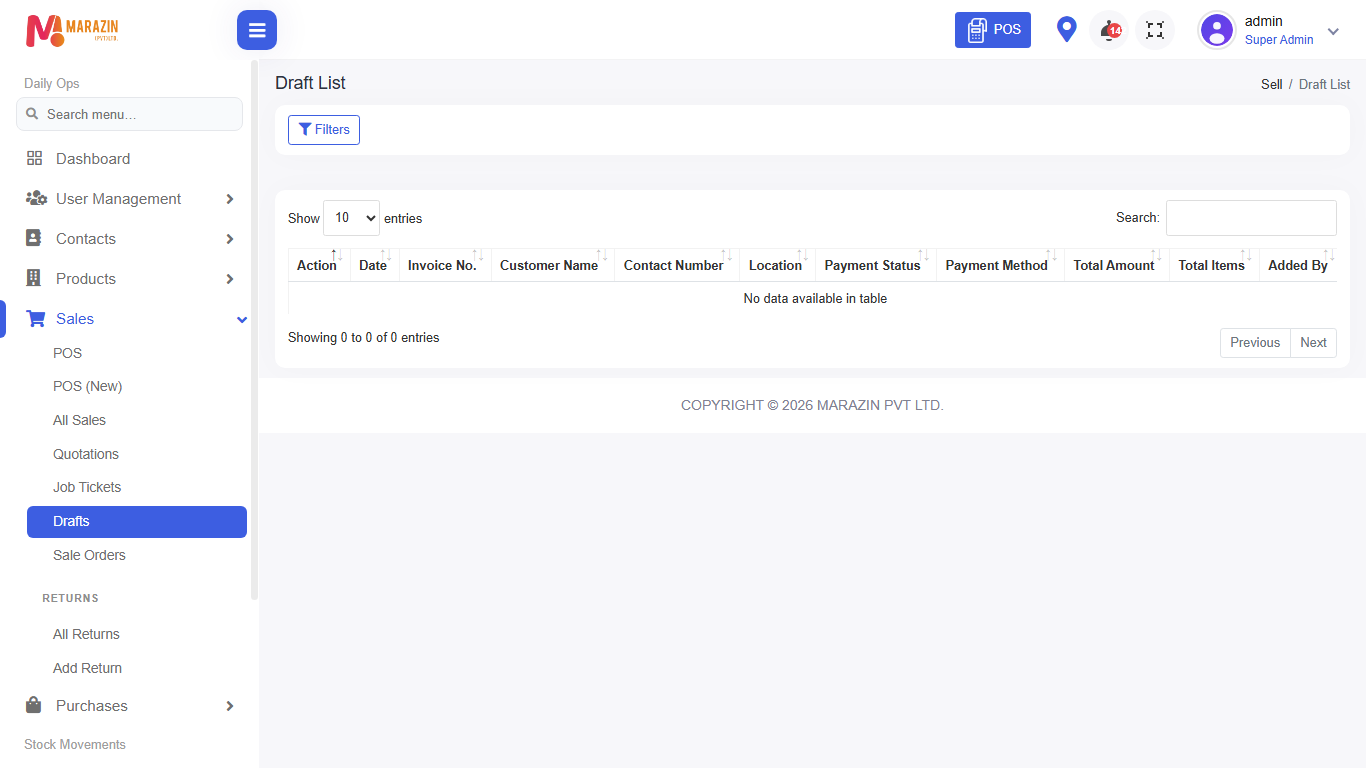
A draft is a bill you started but did not finish. The page title is Draft List.
Before you start
Drafts also come from Hold Bill on POS when that path saves a draft.
Steps
-
Open Sales > Drafts.
-
Leave Active Draft selected to see open drafts.
-
Open Action on a row.
-
Continue / edit the draft, then finish payment on POS.
-
Use Cancel Draft if the customer left (when allowed).
-
Use Restore to Draft only for cancelled drafts you still need.
Field guide
| Field | Required? | What to enter |
|---|---|---|
| Status filter | No | Active Draft or Cancelled Draft. |
| Date range | No | Narrow the list when it is long. |
What you will see
Columns include invoice number, customer, total, and status badges.
Tips
- Clear old drafts each week.
- Print a draft only when the customer needs a temporary copy.
Common problems
| Problem | Solution |
|---|---|
| Draft missing | Check Cancelled Draft filter, or the location. |
| Cannot cancel | Role needs cancel draft permission. |