Add purchase
Who can use this: create purchase. Where to find it: Purchases > Add Purchase
What is this?
This page records stock you bought. The page title is Add Purchase.
Before you start
The supplier and the products must already exist. Know the bill quantity and cost.
Steps
-
Open Purchases > Add Purchase.
-
Pick Supplier.
-
Add each product line.
-
Check the quantity and the cost.
-
Click Save.
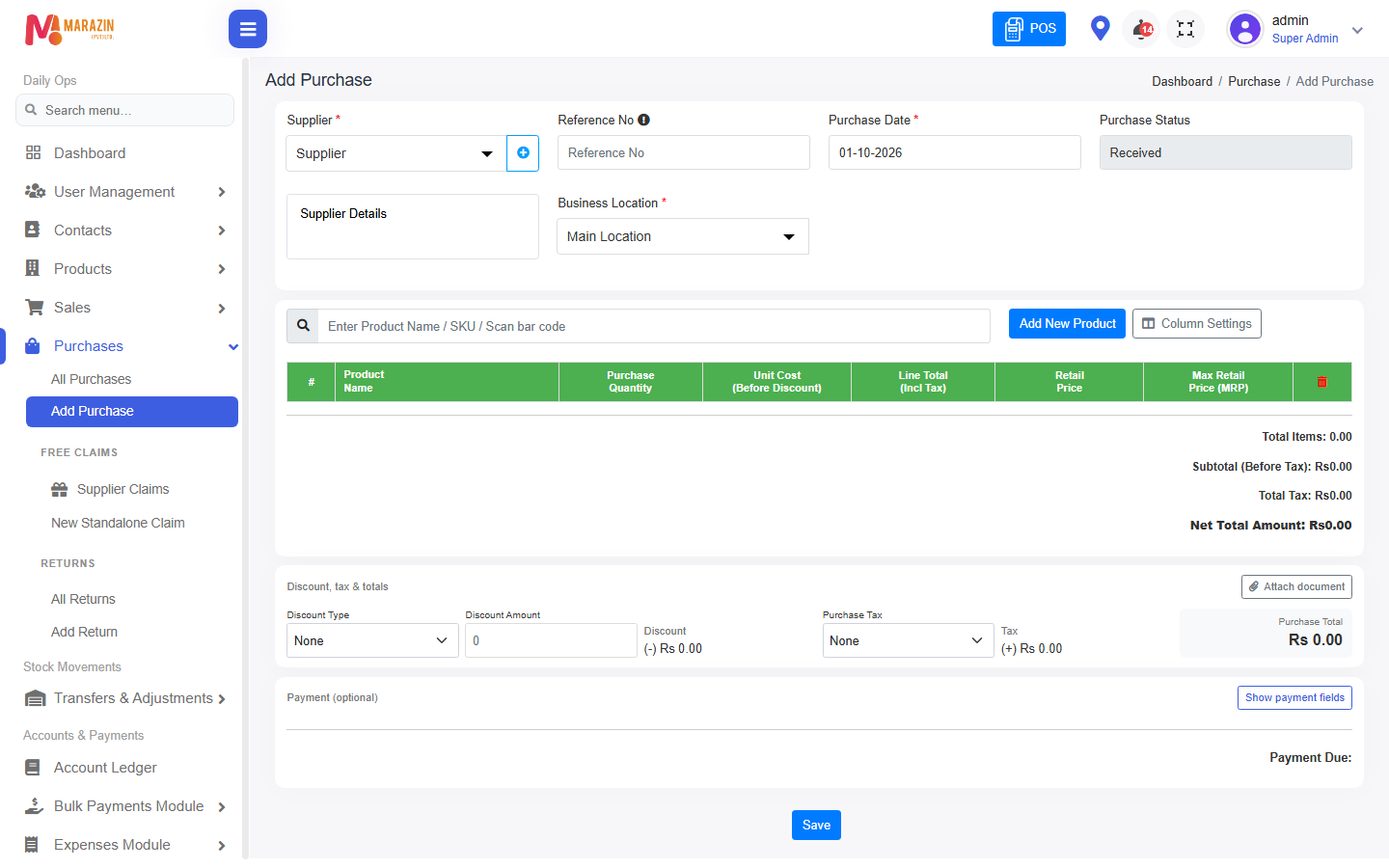
Field guide
| Field | Required? | What to enter |
|---|---|---|
| Supplier | Yes | Who sold the stock to you. |
CHECK: line columns depend on Purchase settings. Read the headers on the screen.
What you will see
The bill is listed under Purchases. Stock for those products goes up.
Tips
- Add the supplier first if the list is empty.
- The plus button next to Supplier opens New Supplier.
Common problems
| Problem | Solution |
|---|---|
| The product is missing | Save the product, then search again. |
| Save is blocked | Pick a supplier and add at least one line. |