Categories
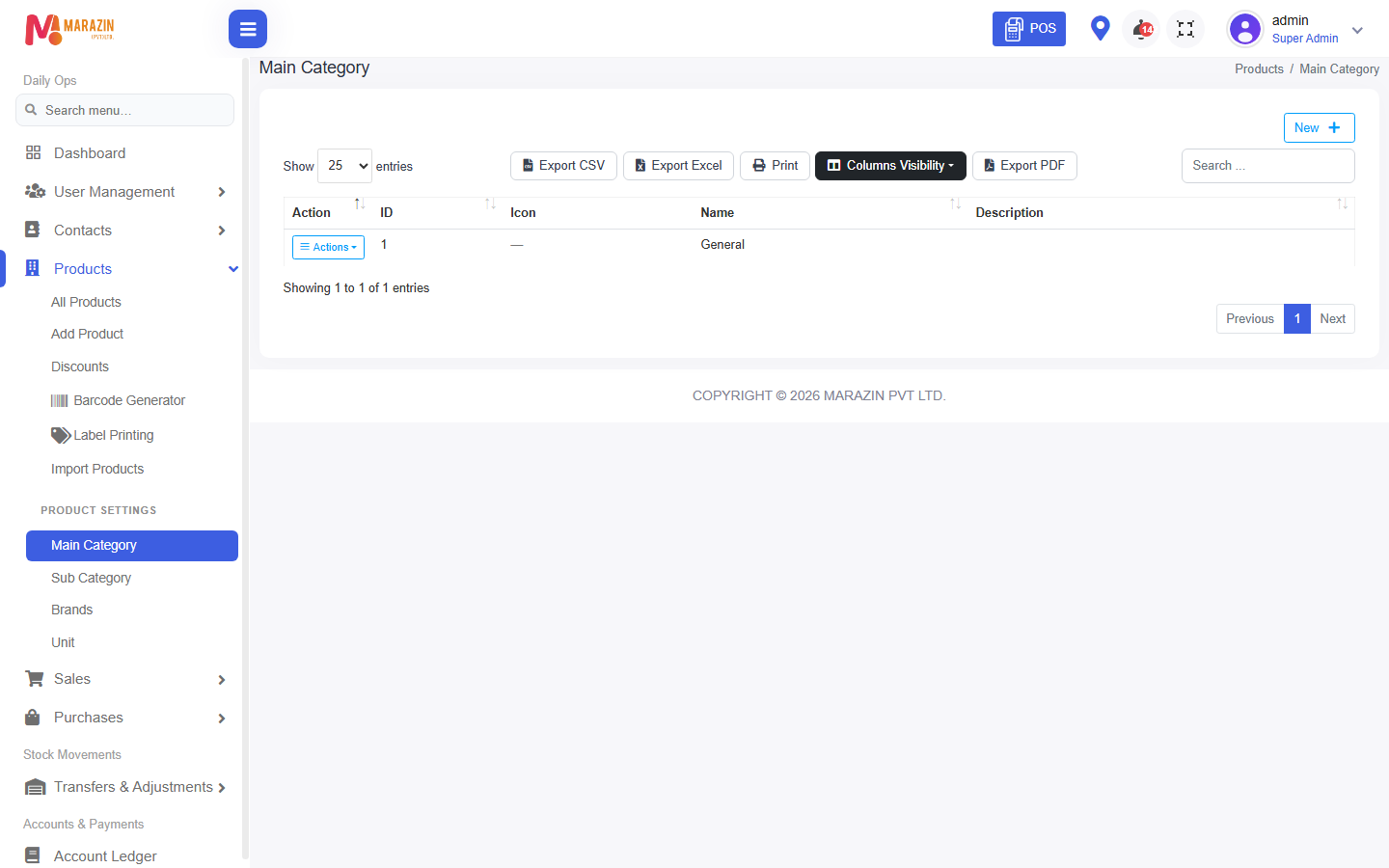
Who can use this: view main-category and view sub-category. Where to find it: Products > Main Category and Sub Category
What is this?
A main category is a big group, such as Grocery. A sub category sits inside one main category.
Before you start
Decide the group names first. Add the main category before the sub category.
Steps
-
Open Products > Main Category.
-
Click New.
-
Type the group name.
-
Click Save.
-
Open Products > Sub Category.
-
Click New.
-
Pick the main category, then type the smaller name.
-
Click Save.
Field guide
| Field | Required? | What to enter |
|---|---|---|
| Main category name | Yes | The big group. |
| Sub category name | Yes | The smaller group. |
| Main category on the sub form | Yes | The group this sub category belongs to. |
CHECK: the exact name field label can say Category Name. Read the star on the form.
What you will see
The page title is Main Category or Sub Categories. The new name appears in Add Product.
Tips
- Keep names short. Staff see them while billing.
- Do not create two groups with the same name.
Common problems
| Problem | Solution |
|---|---|
| New is missing | Ask for create permission for categories. |
| Sub category list is empty | Add a main category first. |