Cash register
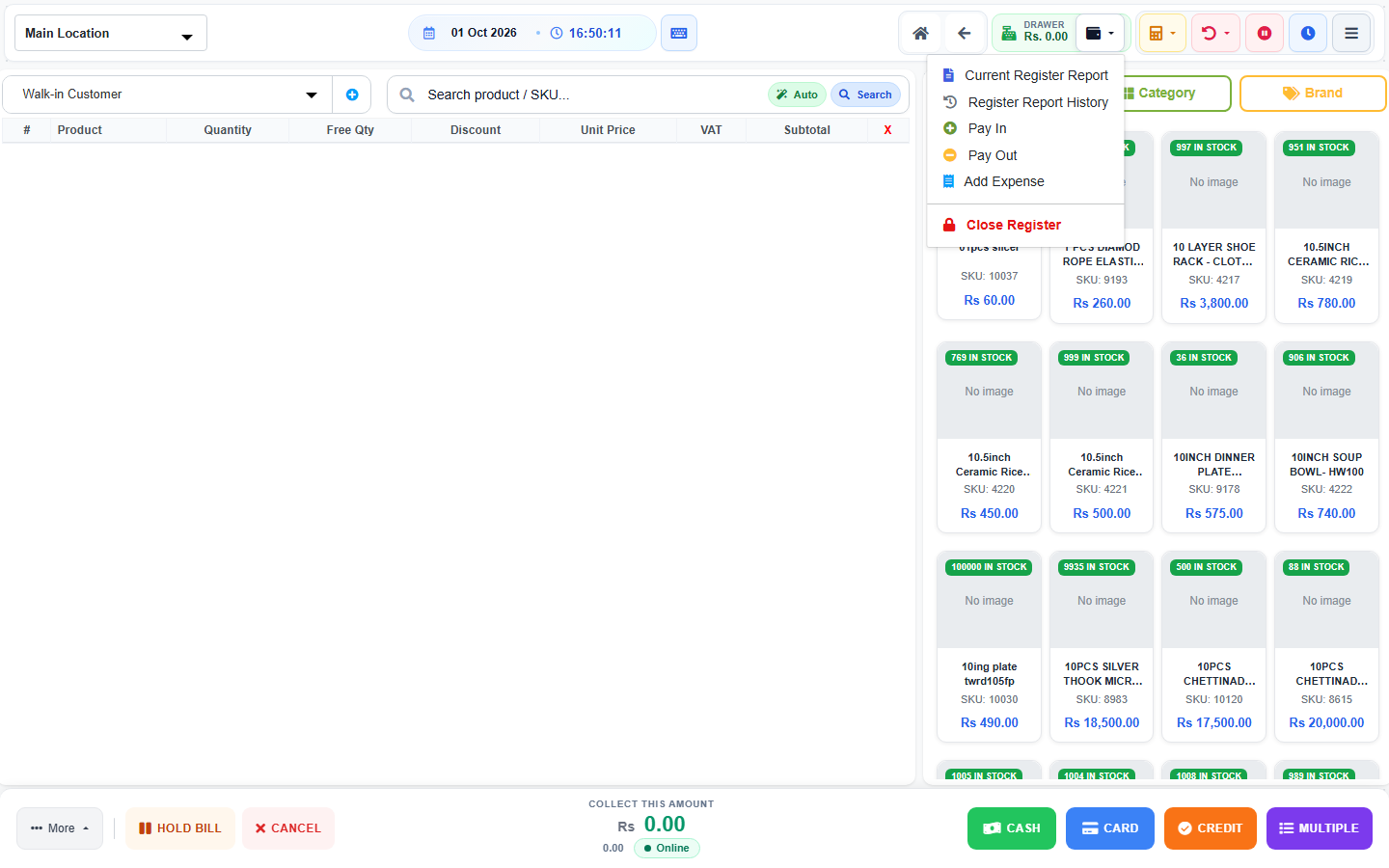
Who can use this: open register, view cash register, pay in, pay out, or close register. Where to find it: The wallet icon on POS. Its title is Cash register.
What is this?
The drawer tracks cash in the counter. Open it at the start of the shift. Close it at the end.
Before you start
Count the notes in the drawer. Use the same POS user for the whole shift.
Steps
-
Open POS.
-
Click the wallet icon, Cash register.
-
If the drawer is shut, open Open Register.
-
Click Open Register after you type the starting cash.
-
During the day, use Pay In or Pay Out when cash moves.
-
At the end, click Close Register.
-
Check Cash Drawer Reconciliation.
-
Click Close Register to finish.
What you will see
The drawer chip shows a balance, such as Rs. 0.00, after you open. Current Register Report shows this shift. Register Report History shows older shifts.
Tips
- Pay In is money added. Pay Out is money removed.
- Add Expense is in the same menu when you have that permission.
Common problems
| Problem | Solution |
|---|---|
| The wallet icon is missing | Ask for a cash register permission. |
| Close totals do not match | Count the drawer again before you confirm. |