Stock transfer
Who can use this: view stock-transfer and create stock-transfer. Where to find it: Transfers & Adjustments > All Transfers and Add Transfer
What is this?
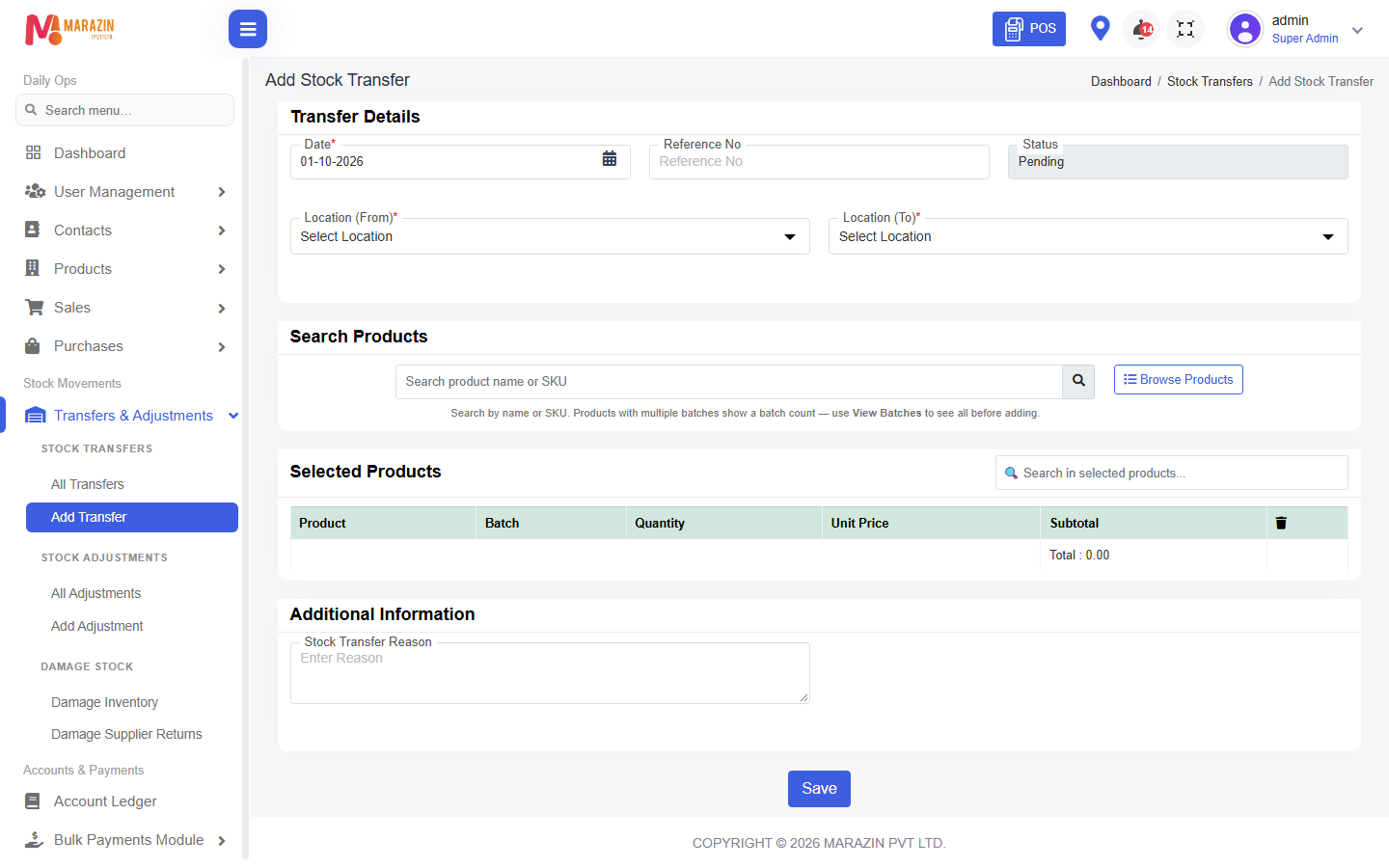
A transfer moves stock from one location to another. The form title is Add Stock Transfer.
Before you start
Both locations must exist. The source shop must have enough quantity.
Steps
-
Open Transfers & Adjustments > Add Transfer.
-
Pick the location you send from.
-
Pick the location that receives the stock.
-
Add the products and quantities.
-
Save the transfer.
-
Open All Transfers to see it. The list title is Stock Transfers.
What you will see
Stock falls at the sending shop. Stock rises at the receiving shop. An edit title is Edit Stock Transfer.
Tips
- Transfer only what you can count on the van or the other shop.
- Check Stock Report for both locations after you save.
Common problems
| Problem | Solution |
|---|---|
| The quantity is refused | The sending location does not have enough. |
| Add Transfer is missing | Ask for create stock-transfer. |