Stock report
Who can use this: view stock-report. Where to find it: Business Reports > Stock Report
What is this?
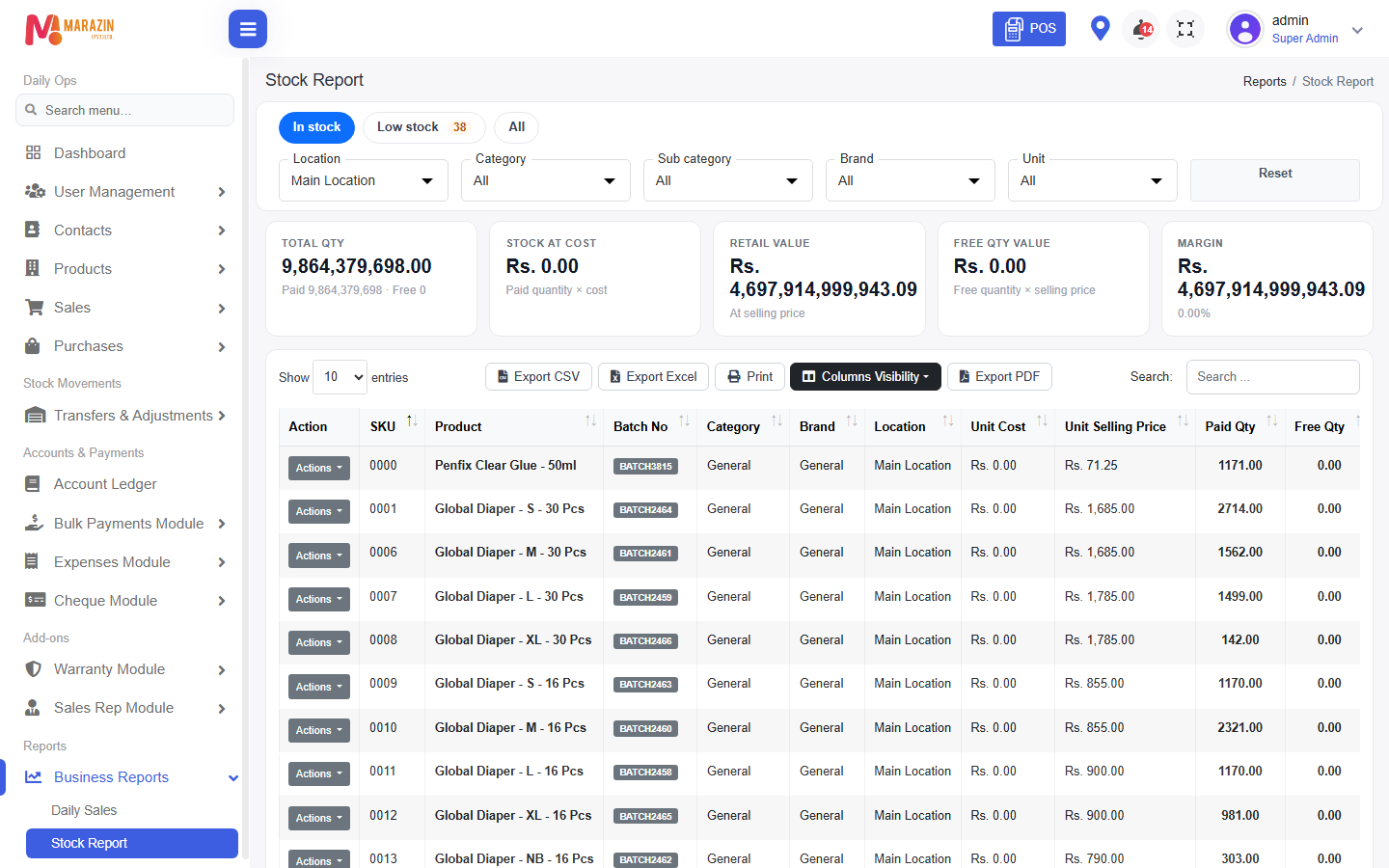
This report shows how much you have left. The page title is Stock Report.
Before you start
Products and purchases or opening stock should exist. Pick a location if you have more than one shop.
Steps
-
Open Business Reports > Stock Report.
-
Pick the location and the date if the page asks.
-
Read the quantity for each product.
Related stock lists
| Menu | What it shows |
|---|---|
| Expiry Stock Report | Items near or past the expiry date. |
| Unsold Stock Report | Stock that has not sold. |
| Stock Shortage Report | Items still waiting when backorders are on. |
What you will see
A row for each product in stock. Low items can also appear on the home screen.
Tips
- Run this before you order from a supplier.
- Use one location when the totals look mixed.
Common problems
| Problem | Solution |
|---|---|
| Quantity looks wrong | Check recent purchases, sales, and adjustments. |
| Stock Shortage Report is missing | The backorder feature is off. |