Damage stock
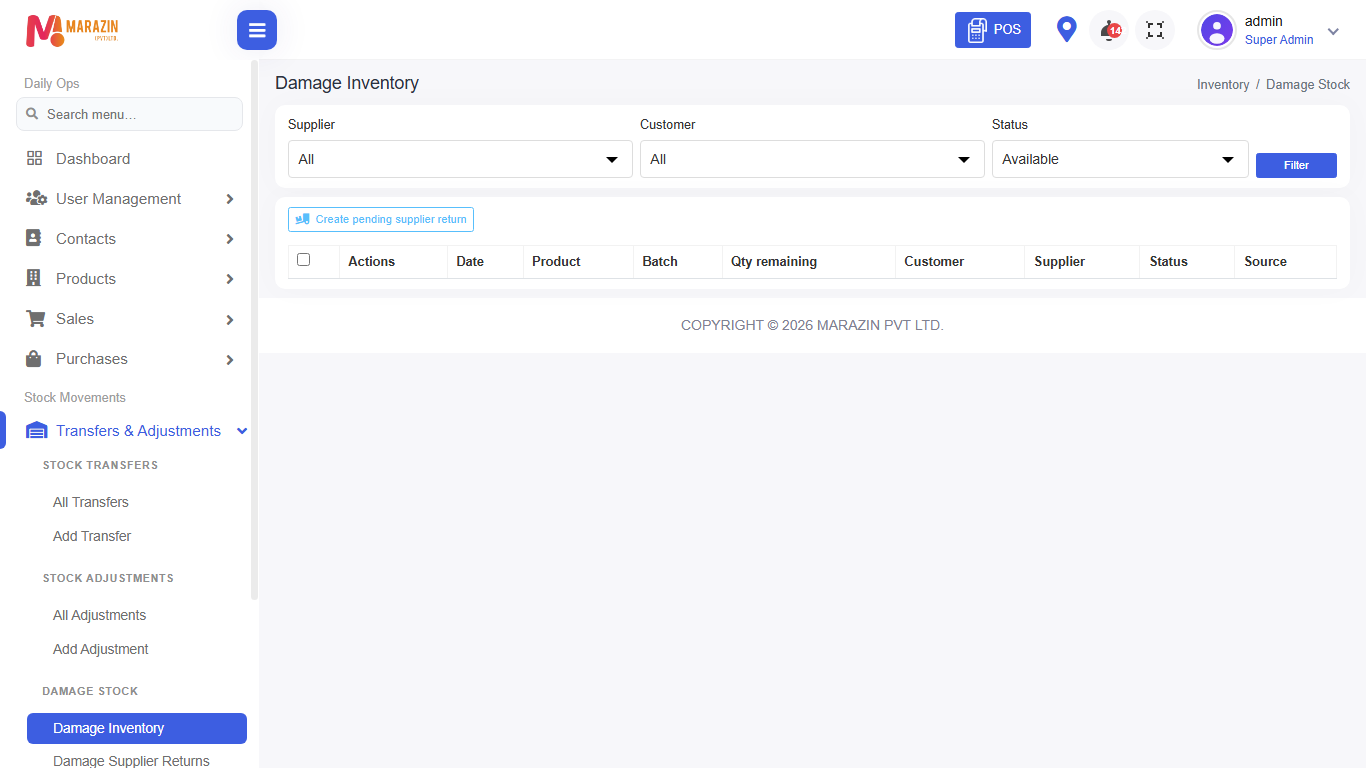
Who can use this: view damage-stock. Supplier returns need view damage-supplier-return. Where to find it: Transfers & Adjustments > Damage Inventory / Damage Supplier Returns
What is this?
Damage inventory holds broken or unsellable stock. You can repair, write off, or send a supplier return when permissions allow.
Before you start
Set Damage stock location in Settings > Features if your shop uses a special damage location.
Steps
-
Open Transfers & Adjustments > Damage Inventory.
-
Use filters, then click Filter.
-
Select rows when you need a supplier return.
-
Use repair or write-off actions when your role allows.
-
Open Damage Supplier Returns to track returns sent to the supplier.
Field guide
| Field | Required? | What to enter |
|---|---|---|
| Location | No | Shop or damage location filter. |
| Status | No | In damage, repaired, written off, etc. |
What you will see
Damage rows with product, qty, and status.
Tips
- Write off only when the item will never sell or return.
- Keep supplier return status updated.
Common problems
| Problem | Solution |
|---|---|
| Cannot repair | Role needs repair damage-stock. |
| Cannot write off | Role needs write-off damage-stock. |