Admin dashboard
Who can use this: Super Admin, or anyone with view all sales. Where to find it: Dashboard
What is this?
This home shows shop totals for the dates and location you pick. Amounts show as Rs.
Before you start
Sign in with a role that can see all sales. Sales and purchases already in the shop will fill the cards.
Steps
-
Open Dashboard.
-
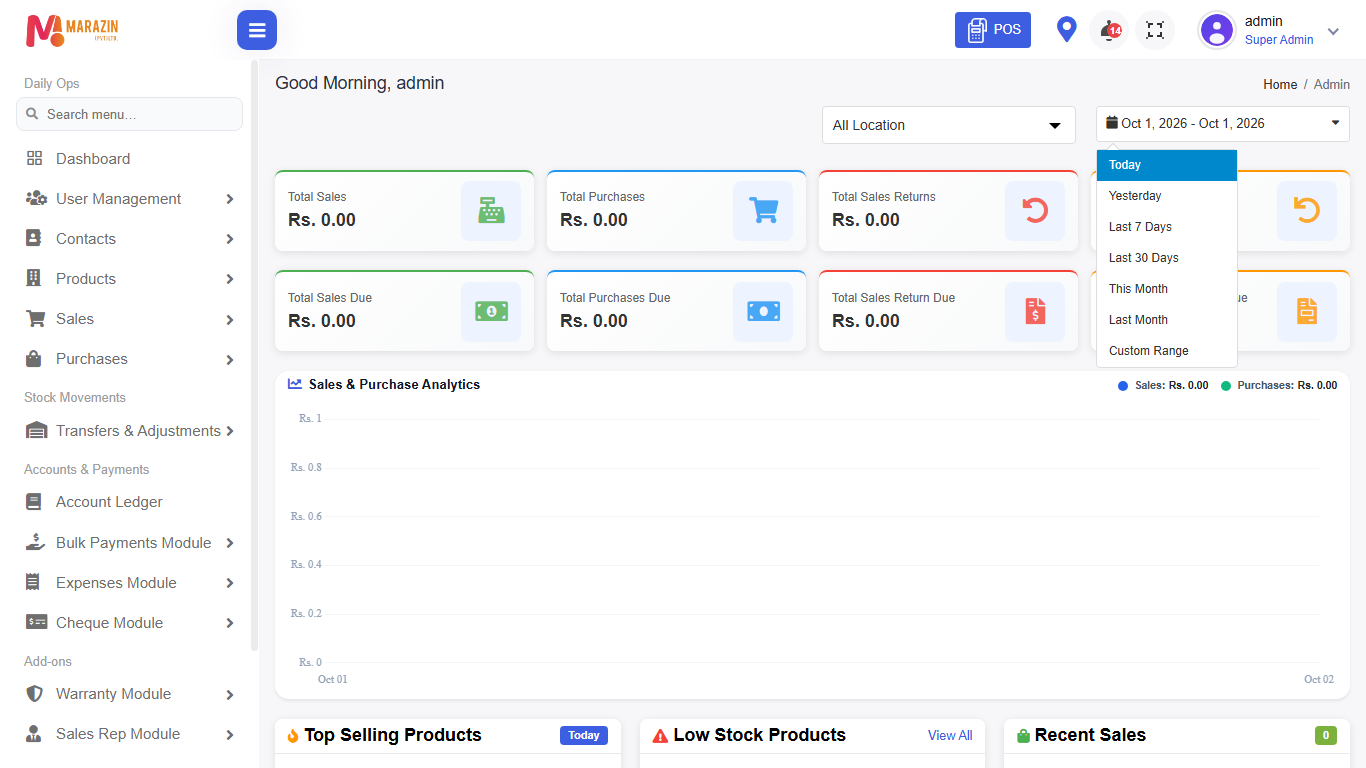
Open the location list. It starts on All Location.
-
Pick one location, or leave All Location.
-
Click the date box.
-
Pick your own dates, or choose a named range below. Named ranges: Today, Yesterday, Last 7 Days, Last 30 Days, This Month, Last Month.
Money cards
These cards follow your date range and location.
| Card | What it shows |
|---|---|
| Total Sale Orders | Sale order total, only for a sales rep on this home. It also shows how many orders are in range. |
| Total Sales | Sales total. |
| Total Purchases | Purchase total. |
| Total Sales Returns | Sales return total. |
| Total Purchase Returns | Purchase return total. |
| Total Sales Due | Money customers still owe. |
| Total Purchases Due | Money you still owe suppliers. |
| Total Sales Return Due | Unsettled sales return amount. |
| Total Purchase Return Due | Unsettled purchase return amount. |
Sales and Purchase Analytics
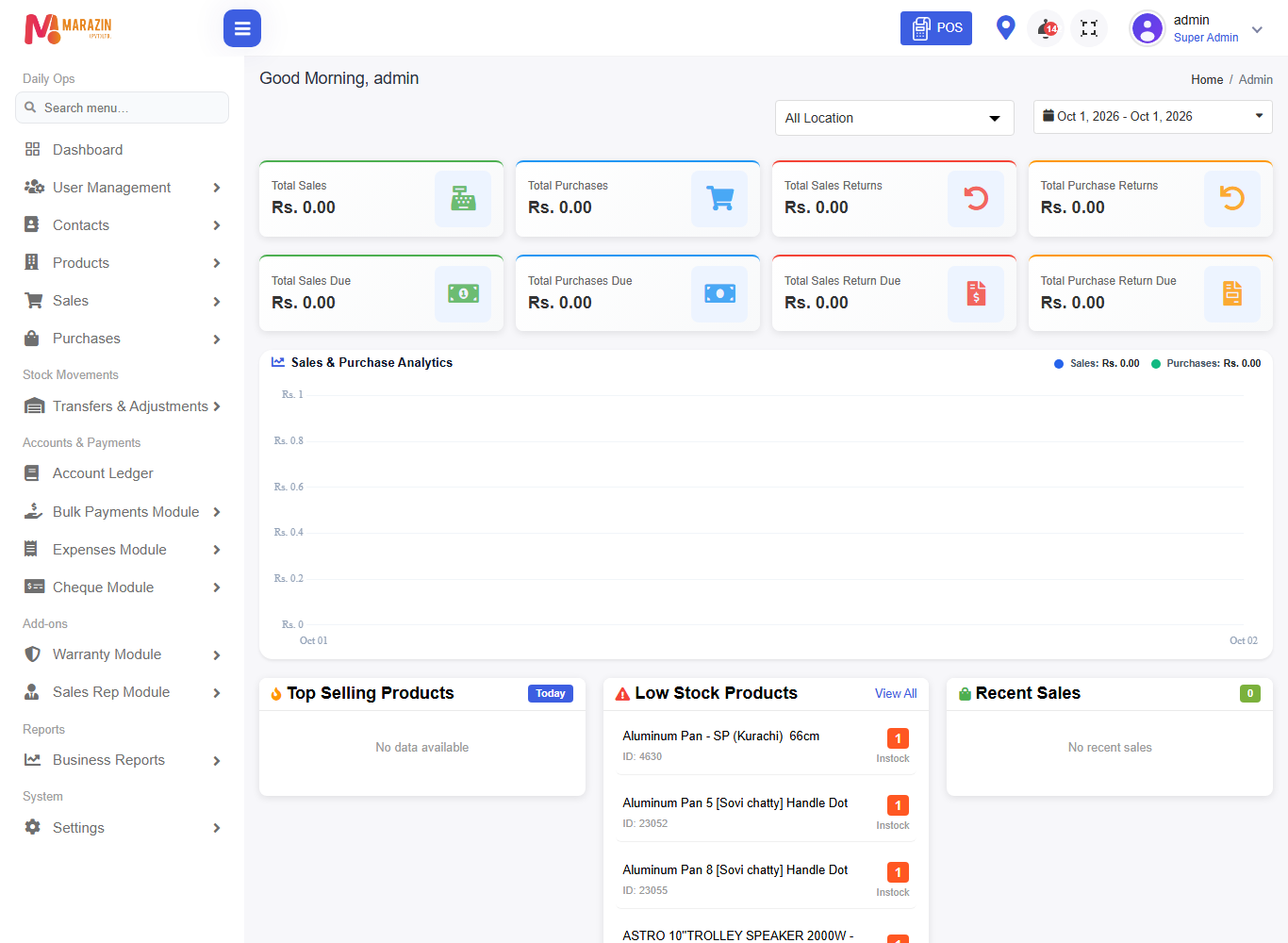
This chart draws Sales in blue and Purchases in green. The header shows each total for the selected dates.

Lists on the home
| List | What it shows |
|---|---|
| Top Selling Products | Best sellers for the date badge. The badge starts as Today. |
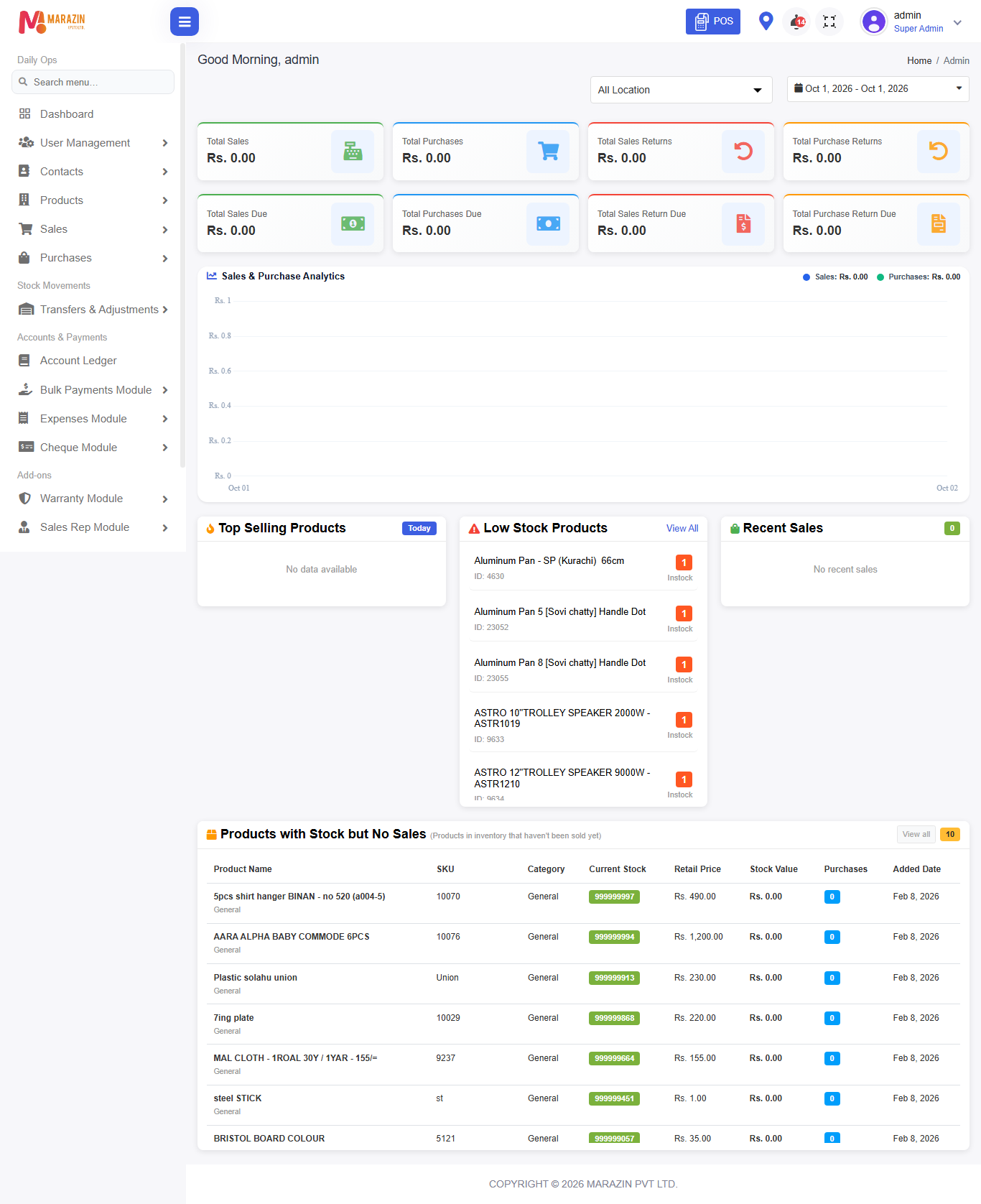
| Low Stock Products | Items running low. View All opens the stock report. You need view stock-report. |
| Recent Sales | Latest sales. The green badge is the count. |
| Products with Stock but No Sales | Stock that has not sold yet. View all needs view stock-report. The yellow badge is the count. |
Expiry alert
If you have view expiry-stock-report, a banner can appear. The title is Expiry alert. Click View All to open near-expiry stock. The banner stays hidden when nothing is near expiry.
What you will see
Cards show Rs. 0.00 until the numbers load. Lists show Loading... first. Empty lists stay blank or show no rows.
Tips
- Use Today at the start of the day.
- Use All Location for the whole shop.
Common problems
| Problem | Solution |
|---|---|
| Totals look too small | Check the date range and location. |
| View All is missing on low stock | You need view stock-report. |
| No expiry banner | Nothing is near expiry, or you lack view expiry-stock-report. |