Suppliers
Who can use this: view supplier. Creating one needs create supplier. Where to find it: Contacts > Supplier
What is this?
A supplier is a company you buy stock from. The page title is Supplier.
Before you start
Know the supplier name and phone number. Add them before the first purchase.
Steps
-
Open Contacts > Supplier.
-
Click New.
-
The window title is New Supplier.
-
Fill the name and phone fields marked with a star.
-
Click Save.
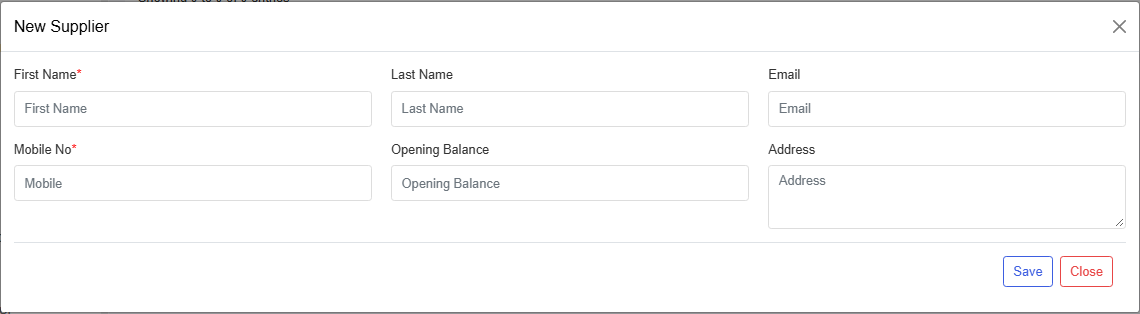
What you will see
The name appears when you open Add Purchase. You can also add a supplier from that purchase form with the plus button.
Tips
- Use one card per company.
- Put the opening balance only for old unpaid bills.
Common problems
| Problem | Solution |
|---|---|
| The supplier is missing on Add Purchase | Save the supplier, then reopen the purchase. |
| New is missing | Ask for create supplier. |